While the algorithm runs, its arrays are drawn as bars. The elements a block reads are yellow, the ones it writes are green, and the index variables point at their element. Counters add up the comparisons, swaps, reads and writes.
Student
- Open the Arrays tab and click Step many times, or Run at a slow speed.
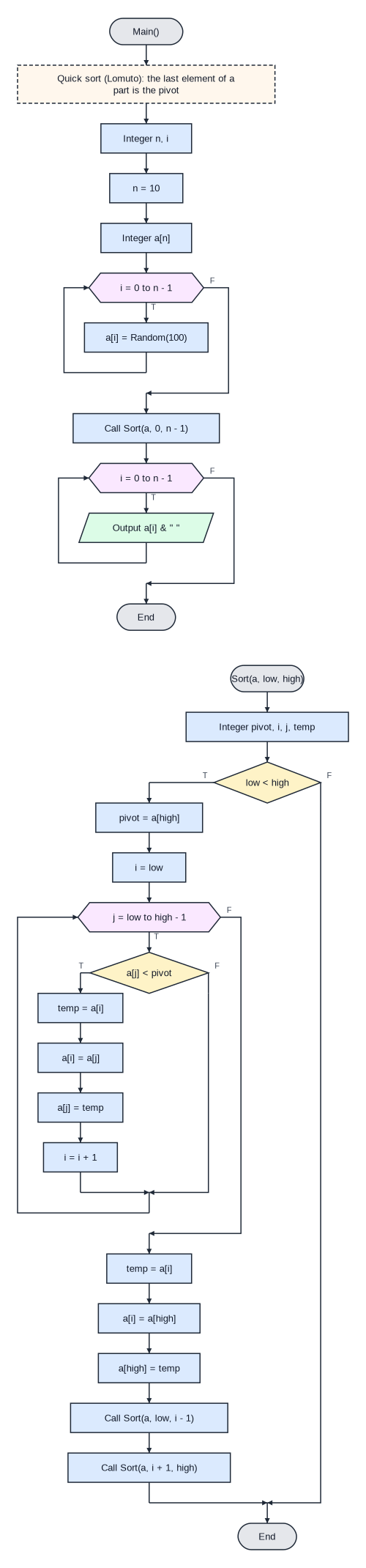
- At the end read the counters. In the editor load File, Templates…, Bubble Sort and compare its counters with Quick Sort for the same n.
Teacher
- Templates for arrays: Bubble, Selection, Insertion, Quick, Merge and Counting Sort, Linear and Binary Search.
- Ask the class to guess which sort needs fewer swaps, then let the counters decide.