The Variables panel shows every variable while the algorithm runs; the trace table lists all steps with the values after each of them, as on paper.
Student
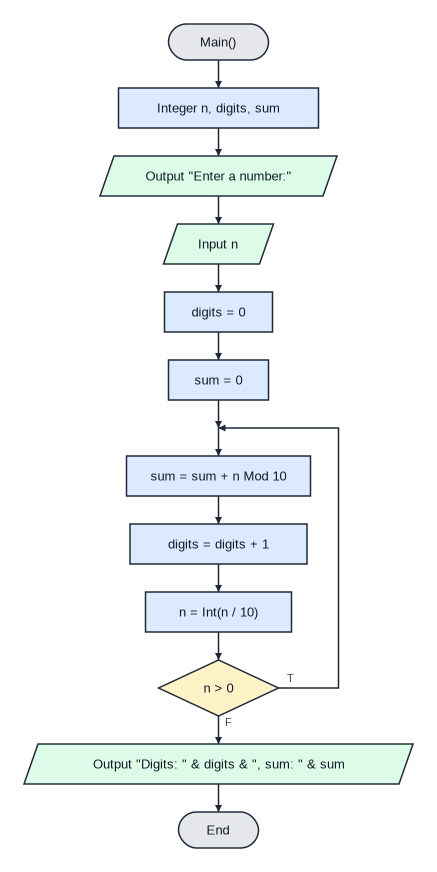
- Run the algorithm with 4072 and open the Trace tab beside the diagram.
- Before you run it, fill in a trace table on paper and compare it with the one in the panel.
- A click on a row of the table goes to that step.
Teacher
- Ask students to predict a row of the trace table, then check it together with Step.
- Use the Do … While loop of this example to show that its body runs at least once (try n = 0).