The algorithm runs in the browser block by block. Every step is remembered, so the run can go back and be watched again from any step.
Student
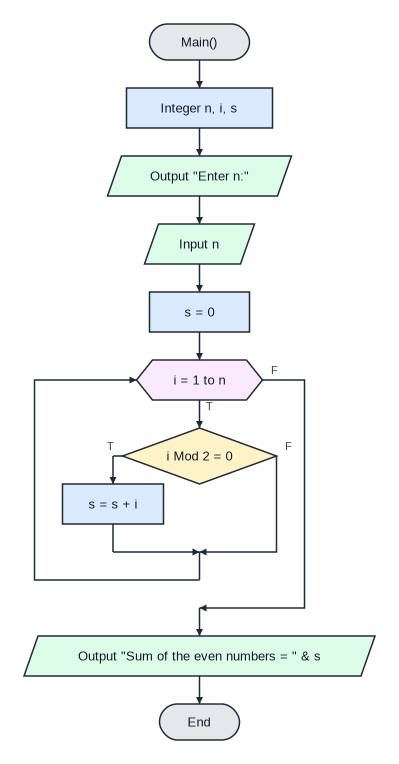
- Click Step (F10) and enter n = 6 in the field of the console. The current block is marked and each If shows the branch it took.
- Click ◀ Back (F8) to go one step back; drag the timeline slider under the buttons to any step, also after the end. The variables and the console are as they were at that step.
- Click a block and press F9: a breakpoint. Run (F5) stops there. The slider beside the buttons sets the speed.
- Go back before the Input block: the run asks for n again, so another value can be tried.
Teacher
- Insert the algorithm on any page, in a forum post or an assignment with the Algorithm button, and tick Interactive (readers can run and step through it).
- On the projector, step through the algorithm with the class and ask "what will happen next?" before every Step; go back with F8 to show it again.